Construction thinking
|
This work on construction is based on a long history
of geometry that can be traced back to the time of
Euclid's Elements and earlier.
One focus here is provided by the National Curriculum (for
England) and the National Numeracy Strategy (including the
Framework for Teaching Mathematics: Year 7), enabling students
to fulfill school curriculum requirements whilst at the same
time learning something about the history of mathematics.
The three levels, Foundation,
Intermediate and Advanced
cover between them KS1, KS2, KS3, KS4 Foundation and Higher
and beyond.
|
Within each level, the topics are arranged in (very) approximate order
of difficulty. This order does not have to be followed rigidly, but
the tasks at the top of the coloured grid may be easier than those
at the bottom, so you may not be able to do those harder ones if you
have not done many earlier tasks. Be systematic.
 |
All the elements in these units use dynamic
geometry. This means that you must use the mouse to click,
hold and drag parts of the diagrams and thus alter
them as you wish. You can also construct points, lines
and circles to solve problems. See the 'Buttons'
page for more on this, including an interactive test to check
you understand how some of the main buttons work. Please note
that the very first topic you choose may take time to load,
but all later topics will load much more quickly. Be patient! |
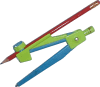 |
By the time you have worked through the majority
of these tasks ranging from Foundation to Advanced level, you
should have developed a collection of construction skills that
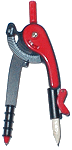
you can apply to the real world of pencil, straight edge and
compass constructions - in fact those constructions that can
be traced back to Euclid's time. |
|
| In order to encourage practical applicability,
many tasks concentrate on use of three main construction buttons
for constructing points, lines and circles, shown to the right. |
   |
| Note that an additional circle construction button is also
used (shown opposite). The difference between its operation
and that of the compass button deserves explanation, particularly
as over 2000 years ago Euclid saw this as an important stage
in the development of geometric construction. See Circle
construction. See also a section on Circle-only
constructions. |
 |
|
In later tasks, particularly those in the Advanced
section, persistant use of these buttons may make some constructions
unnecessarily lengthy and complicated. In such cases, other
"short-cut" buttons are made available. These could be viewed
as macros, in the sense that they only enable constructions
that could have been made by the three shown above - but the
construction is achieved in one step rather than a sequence
of steps. |
    These
macros include buttons for bisecting an angle or a line and for constructing
parallel and perpendicular lines: These
macros include buttons for bisecting an angle or a line and for constructing
parallel and perpendicular lines:
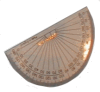 |
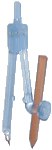
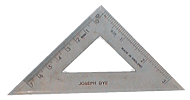
A macro is, of course, very much a computer concept,
but each macro button is similar in essence to a specific item
of geometrical equipment, ie., the set square, ruler or protractor.
|
| Finally... One key construction in these materials, and one
that is clearly emphasised in the UK National Curriculum, is
that of constructing the line perpendicular
to a given line. This, and the related task, construct
the midpoint of a line segment, first appear at Intermediate
level. |
It is to be hoped that any student using these online versions
first, will be able to progress quickly to the real world version
- providing of course that they have a sharp pencil and a compass
that does not slip!
In the real world anything that can make life difficult, will!
|
|